PainPal
Turning the day-to-day work of managing chronic pain into something simple, insightful, and easier to share with a doctor.
Every extra tap is a cost
Chronic pain affects roughly one in five people worldwide. Apps exist to help, but they're often expensive and vary widely. People living with it are often tired, hurting, and short on patience, so logging had to be fast enough to do in the moment.
people worldwide live with chronic pain
Three requirements came out of the research. Pick one to see what it asks of the app.
On a bad day, logging has to take seconds. Where it hurts, how bad, why: three taps, then done.
Meet Ollie
After reviewing medical journals, case studies, and patient experiences shared on health forums, we built personas. Ollie Jones, a 25-year-old student with chronic back pain, became the person we designed for.

Ollie Jones
25 · Master's student in Business Management · London- • Stay informed about the intensity and frequency of pain events.→ Pain map and diary
- • Focus on studies to prepare for job hunting.→ Three-tap logging
- • Engage in physical activities with minimal discomfort.→ Personalized insights
Red tags show the part of PainPal each line shaped.
Dozens of ideas, three features
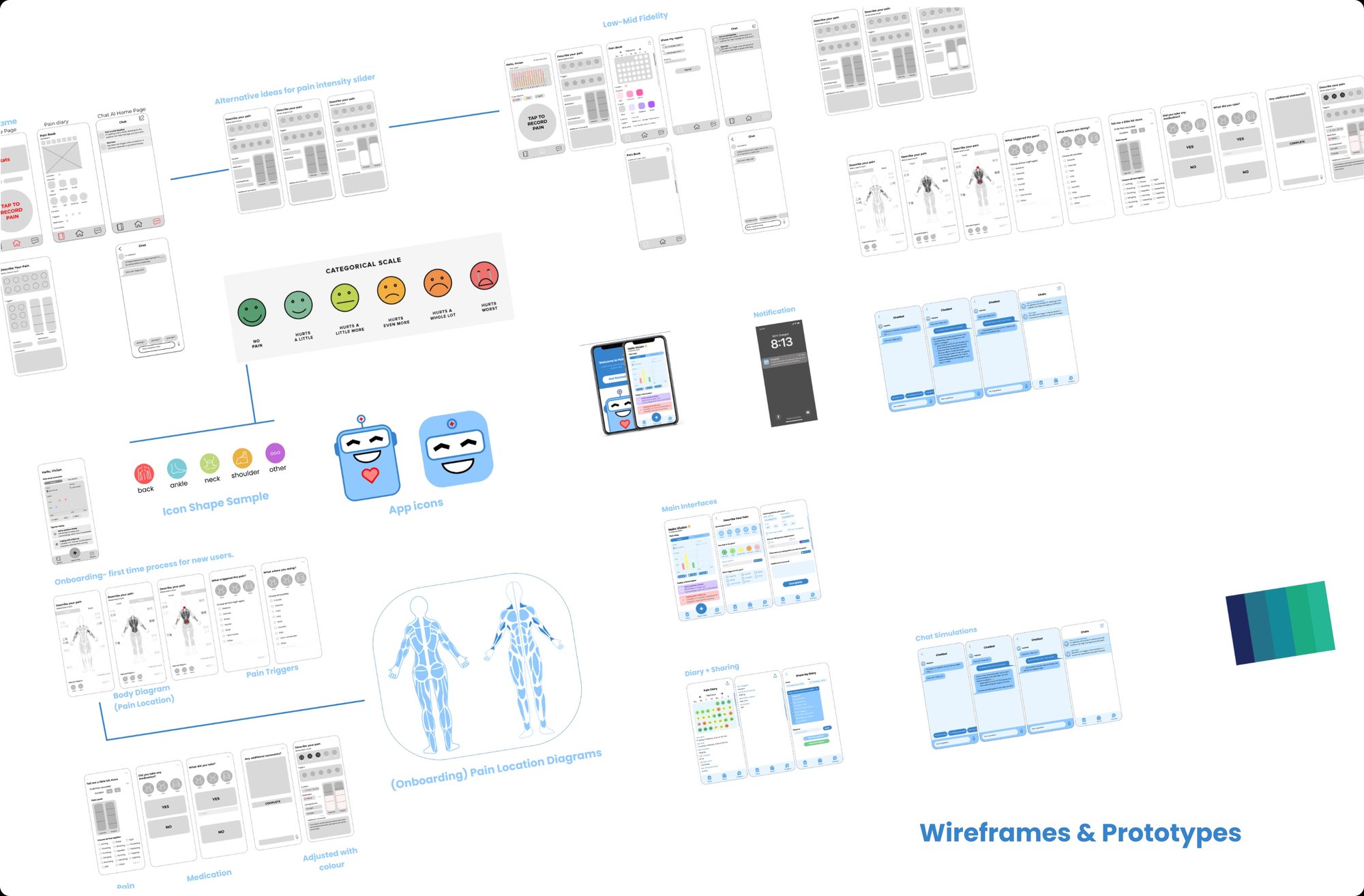
Crazy 8s and a feasibility-relevance matrix narrowed dozens of ideas to three core features. I focused on tracking and insights, built the low-fidelity prototypes, and designed the final UI for tracking and insights.
Two explorations from the wireframe board, and where they landed. Flip each switch.
A six-step categorical face scale, one of several alternatives for rating intensity.
Icon shapes for body areas: back, ankle, neck, shoulder, other.
Crazy 8s and a feasibility-relevance matrix narrowed dozens of ideas to three core features.
Hello Vivian 👋
8 February 2024
Pain Map
Today’s Reminders
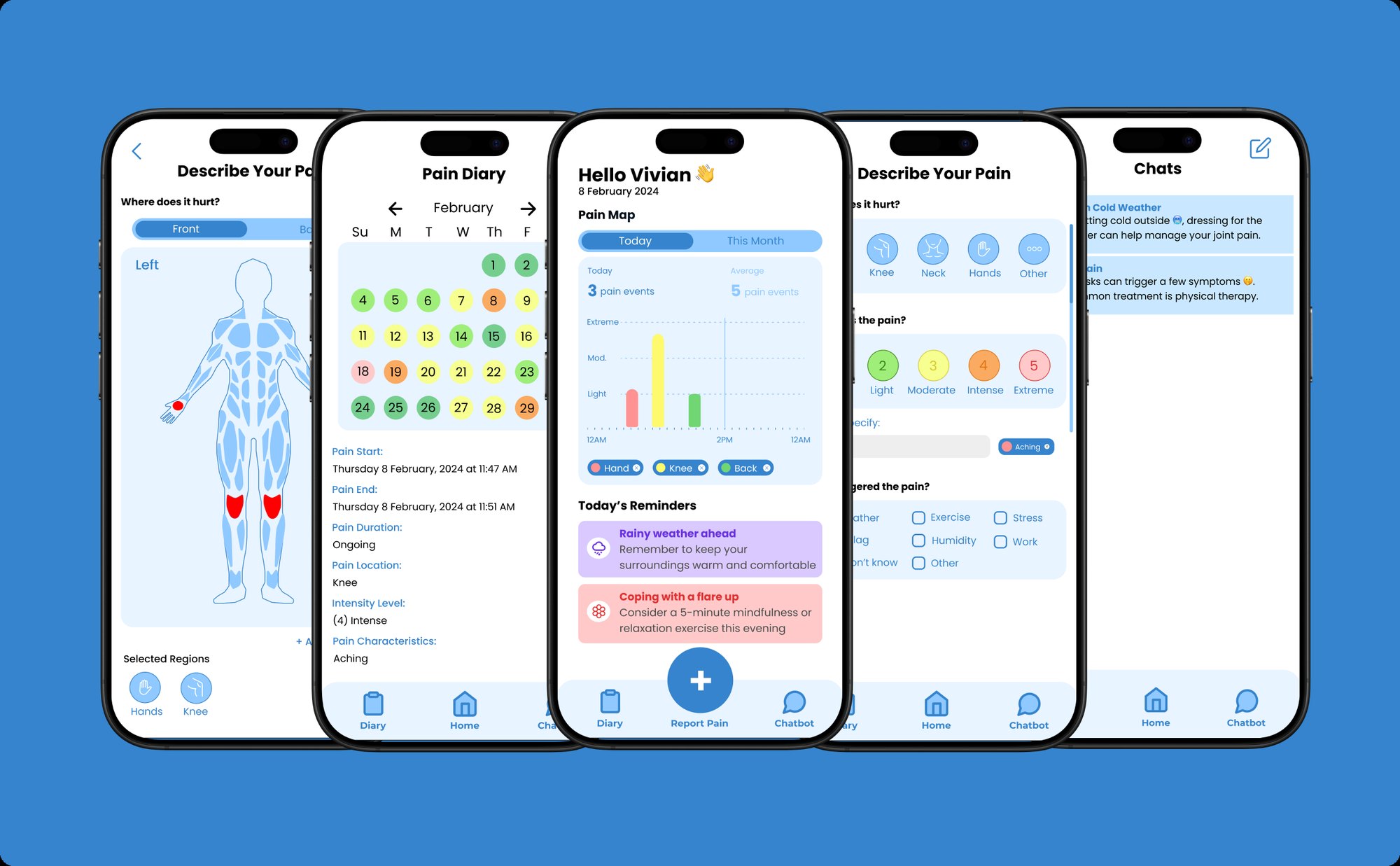
Simple tools for logging where it hurts, how much, what triggered it, and what medication was taken. The day's events land on a pain map. Tap a chip to clear it.
One question per screen
Eight short steps, each asking one thing, with "Skip" and contextual hints throughout so logging stays quick even on a bad day. Tap Get Started and go through it yourself, or jump to any screen.
A friendly mascot and one clear action, Get Started. Nothing to read before you begin.
Recreated in code from the onboarding designs. Nothing you enter is saved or sent.
Tap through the app
Press + to report pain. On the body map, every area can be selected on its own, front and back: each shoulder, arm, hand, thigh, knee, shin and foot. Hover the figure to see them all, then tap the ones that hurt.
Hello Vivian 👋
8 February 2024
Pain Map
Today’s Reminders
Meet PainPal. A friendly mascot makes a hard subject feel lighter: it greets you, cheers when you log, and answers in chat. Tap it to say hi.
A working prototype of the core flows, recreated in code from the original designs. Tap around. Nothing is saved or sent.
- 1Tap + to log pain
- 2Open the diary and tap a day
- 3Share your diary with a doctor
- 4Ask PainPal a question
One question per screen. Logging takes three taps on a bad day: where, how bad, why.
Color carries meaning. The same five-step scale colors the log, the chart, and the diary calendar.
You choose what to share. Every detail is opt-in before anything goes to a provider.
Friendly on a bad day
The app icon, icons, color and type were chosen to feel calm and approachable, so opening the app never feels clinical.
Soft, filled navigation icons for the core actions; white line-art body areas on blue for picking where it hurts. Big, round targets for tired hands.
Calm blues build trust without feeling clinical. Red is saved for the medic’s cross and alerts, and the pain scale runs green to soft red so a bad day reads clearly without alarming.
A rounded geometric sans that feels warm, matches the robot’s soft shapes, and stays legible at small sizes on a phone.